

Aqara Smart Doorbell Camera G410 with Chime, 2K, HomeKit Secure Video, 2-Way Audio, Built-in Matter Hub, Wireless/Wired, Supports Apple Home, Alexa, Google, Home Assistant, 2.4G/5GHz Wi-Fi, Black
$144.99



Price: $144.99
(as of Mar 24, 2026 08:23:03 UTC – Details)
Product description
The video showcases the product in use.The video guides you through product setup.The video compares multiple products.The video shows the product being unpacked. video doorbell camera Merchant Video


 Unlock Doors Directly from the Live View
Works seamlessly with the Aqara U100 smart lock, allowing you to see visitors and unlock with a single tap — while the G410’s built-in hub enables remote access.
 Aqara G100- 2K Indoor/Outdoor Security Camera
Aqara cameras provide clear, detailed video day and night for reliable monitoring.
Why is my network connection unstable?
Ensure the doorbell and chime are within 5m to maintain a stable Zigbee/Matter link. For hub functions, all paired devices should stay within 5m. Keep the Wi-Fi router within 7m of the chime to avoid signal loss or latency.
Can I connect this doorbell to my existing traditional chime?
No. This doorbell is designed to work with the included 95dB chime for optimal performance and compatibility.
How long does the battery last after a fresh install?
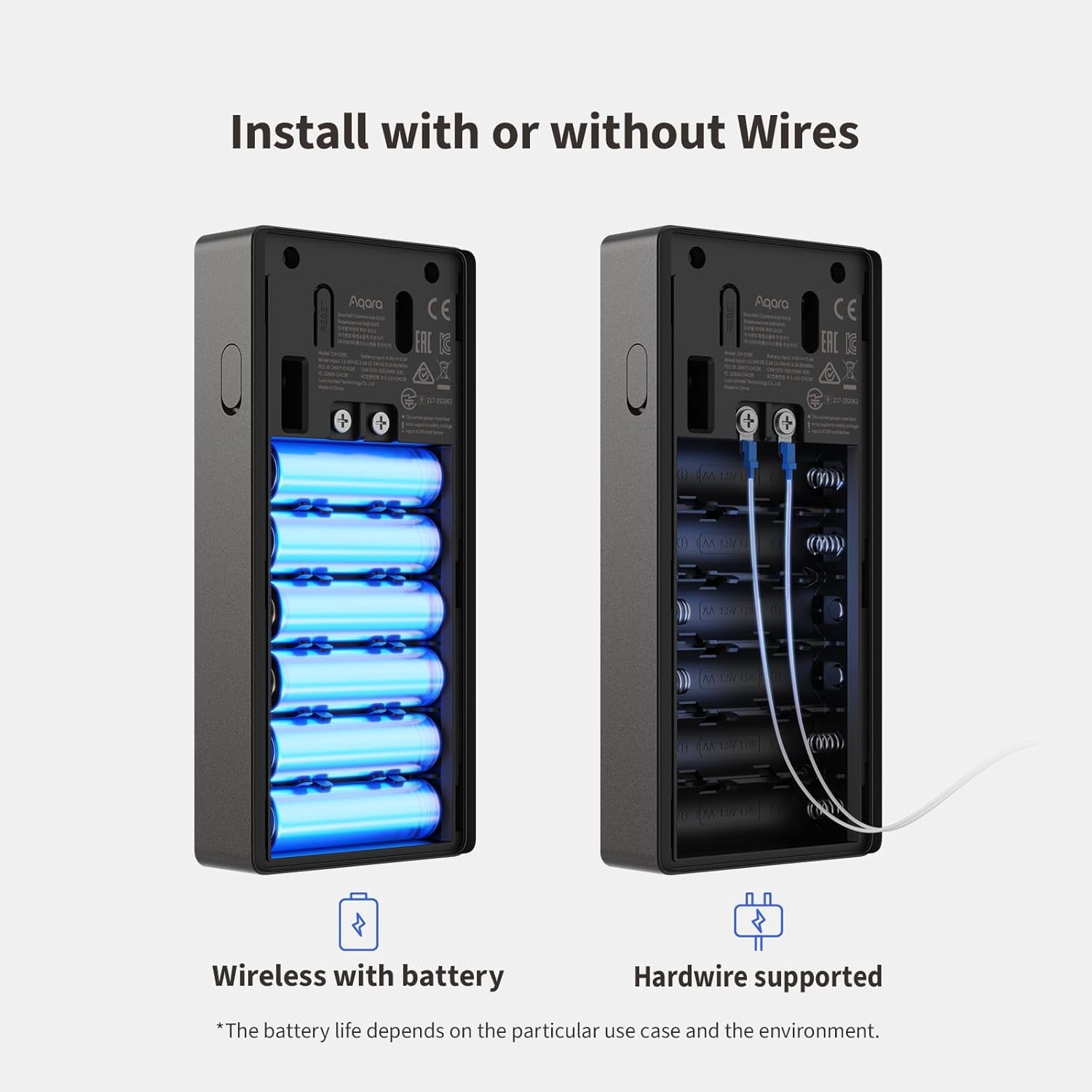
Battery life can last up to 5 months, based on fewer than 10 wake-ups per day. In high-traffic areas, battery may drain faster. For longer life, enable Power Saving Mode in the app: Device Setting → Doorbell Setting → Working Mode → Power Saving Mode
What are the free and paid cloud storage options? Is any cloud storage included?
Free cloud storage: 1 day for the first 6 months, 12 hours from months 7 to 24. After 24 months, free storage ends. Paid option: HomeGuardian subscription provides 90-day cloud storage. A free 30-day HomeGuardian trial is included with your purchase.
Why is the video quality poor?
Please ensure the lens is clean, network is stable, and the firmware is updated to the latest version. When connected to HomeKit, the resolution is limited to 1600×1200, which also applies to Aqara Home when both platforms are used at the same time.
Works with HomeKit Secure Video and All Major Ecosystems: Fully compatible with Apple HomeKit Secure Video (HSV) for encrypted recording, iCloud storage, and relevant notifications directly on Apple devices. Also compatible with Matter, Alexa, Google Assistant, SmartThings, and Home Assistant, integrating into your existing smart home setup.
Built-In Aqara Zigbee & Matter Hub for Simple Device Control: No extra hub needed. This doorbell includes a built-in Zigbee and Matter hub, letting you connect and manage other smart devices—such as sensors, lights, and locks—directly through your doorbell camera. Simplify your setup while expanding your smart home possibilities.
More Accurate Motion Detection with mmWave Radar: The advanced mmWave radar detects human presence with greater accuracy than traditional PIR sensors. Get smarter alerts without false triggers from pets, wind, or moving shadows, for a more secure and efficient video doorbell. (NOTE: Detection setting is adjustable in the app to increase sensitivity for quicker response.)
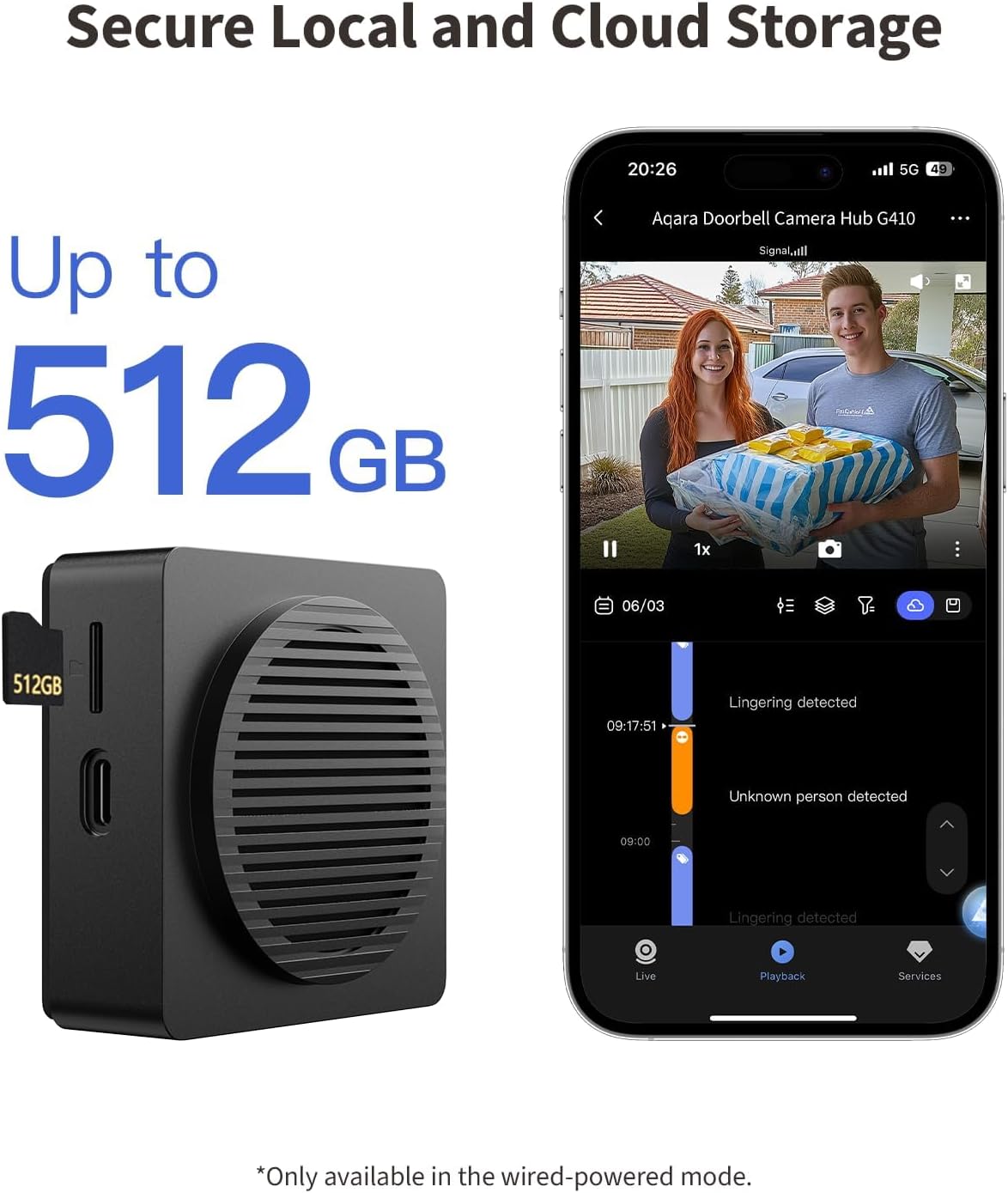
Secure Cloud & Local Storage: Protect your footage with encrypted cloud storage hosted securely, keeping your data close and compliant. Prefer local storage? Insert a microSD card (up to 512GB, not included) for easy backup. The SD card slot is safely located in the Chime inside your home, preventing theft or unauthorized access.
2K Ultra HD Video, 95dB Built-in Chime, and Dual-Band Wi-Fi: Features a 2K wide-angle lens for crisp, detailed video. The built-in 95dB chime delivers loud and clear alerts. Supports 2.4GHz and 5GHz Wi-Fi and meets WPA3 security standards for reliable and secure connections. *Note: When connected to Apple HomeKit, the resolution is limited to 1600×1200. This limitation also applies to Aqara Home when both platforms are used simultaneously.
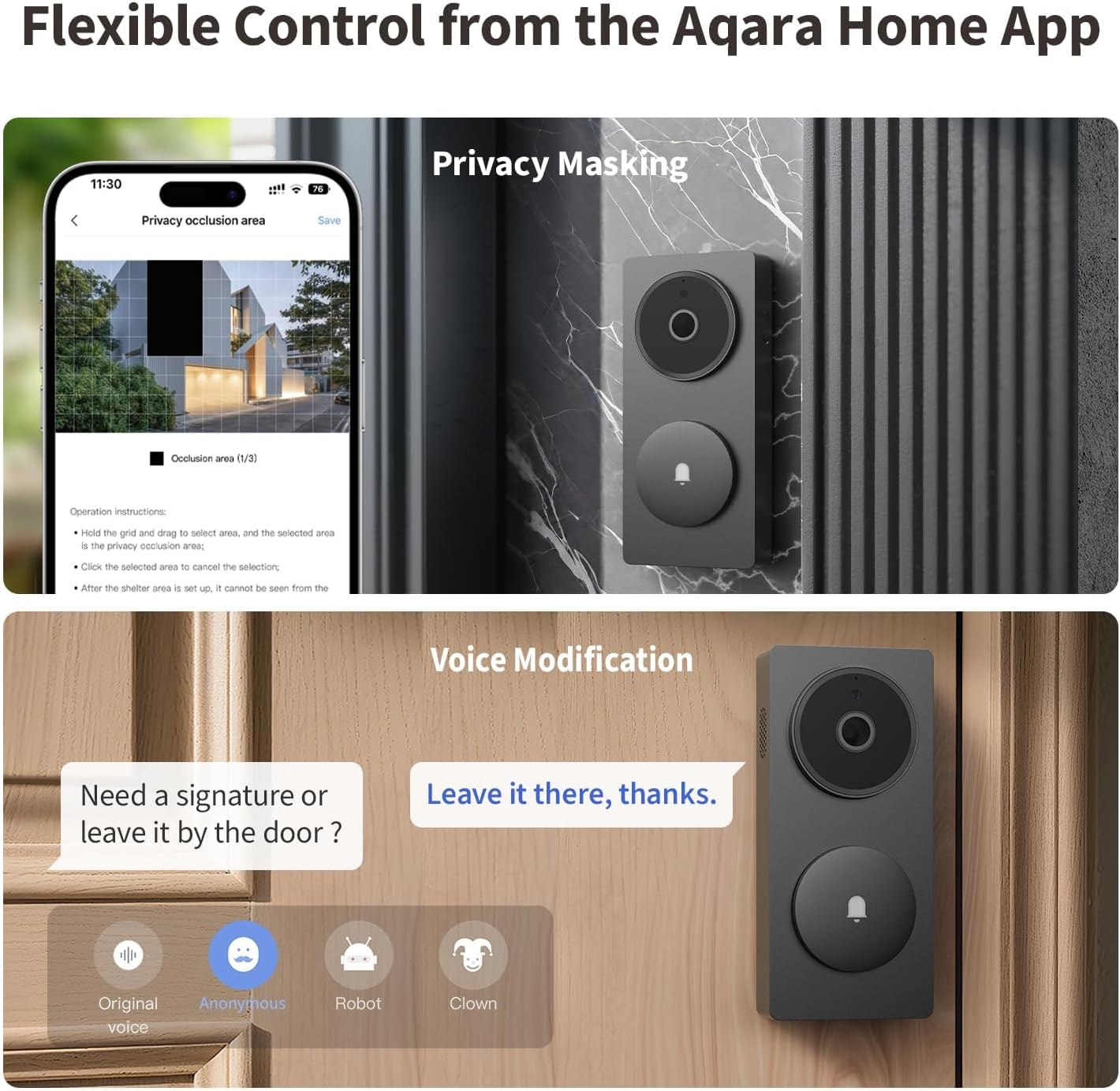
Smart Extras: Custom Audio Files, Voice Changer, and Privacy Masking: Customize your experience with user-created rings and responses, a voice changer to protect your identity when speaking to strangers, and image masking to block out sensitive areas—enhancing both security and fun in your daily routine. (Note: These features are only available via the Aqara Home app. Zigbee2MQTT and comparable third-party USB dongles are not officially supported by Aqara. Full product functionality may be limited or unavailable.)
Local Face Recognition for Smarter, Private Automation: Recognizes known faces and enables custom actions—like different chimes for family members or turning on lights when someone arrives. All face data is stored locally, never uploaded to the cloud, giving you intelligent convenience without compromising your privacy.
8 reviews for Aqara Smart Doorbell Camera G410 with Chime, 2K, HomeKit Secure Video, 2-Way Audio, Built-in Matter Hub, Wireless/Wired, Supports Apple Home, Alexa, Google, Home Assistant, 2.4G/5GHz Wi-Fi, Black
Add a review
Related Products




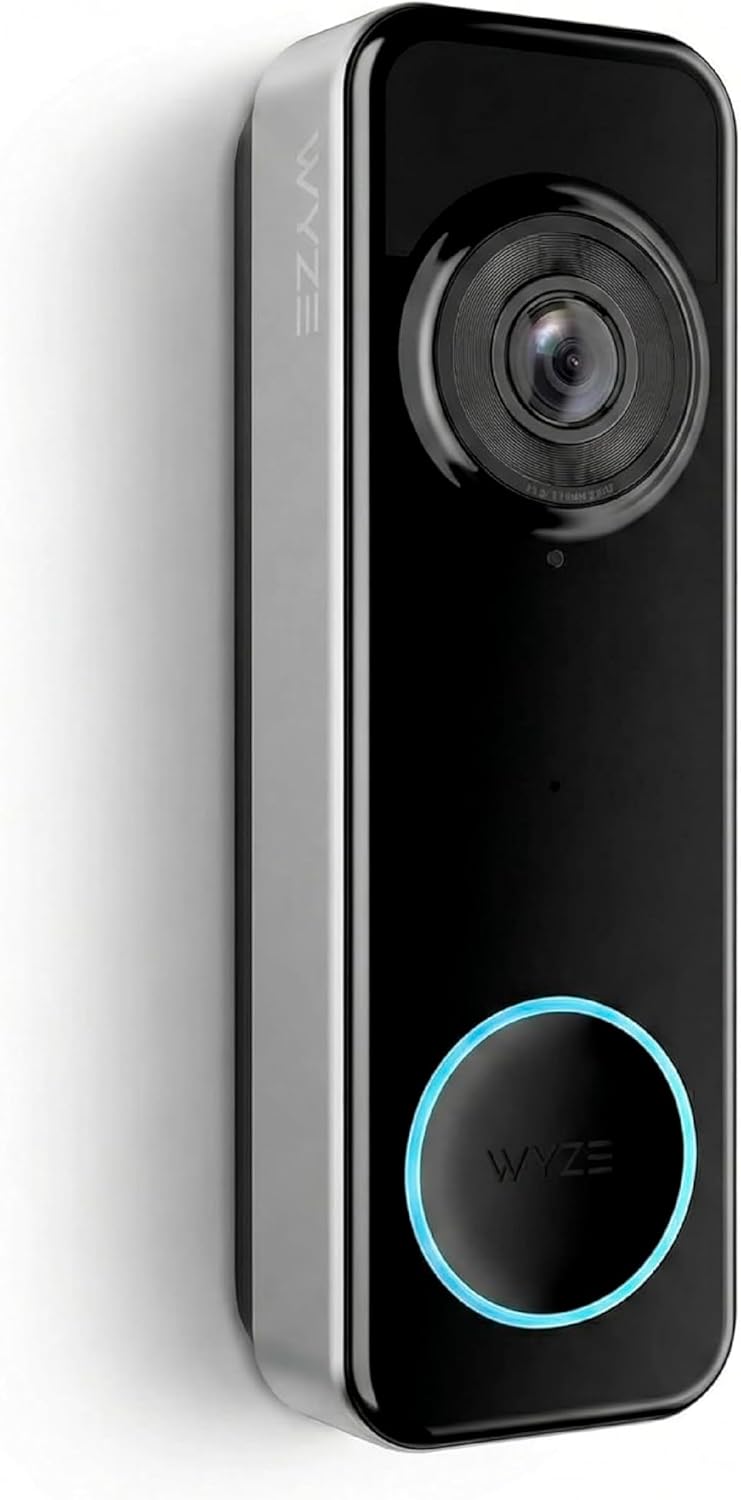
$144.99
astraldirectrix –
The best HomeKit-compatible smart doorbell system!
This is the best doorbell camera system for Apple Home/HomeKit you can buy!- Great widescreen camera, accurate colors and night lighting, very little lag, if any- When connected through HomeKit, it can be configured to provide notifications when people approach the door. It can even recognize certain people, based on labels in the Photos app.- Installation was relatively simple and straightforward, but the instruction manual is only accessible online through a QR code.- It’s somewhat unintuitive to open the doorbell panel; the screw cover is on the right side, you need to lift it up and loosen the screw to remove the doorbell.- It’s okay to use batteries to power the doorbell panel, though I haven’t had this unit long enough to tell you how long it lasts. The chime and doorbell are permanently connected, so once the chime is plugged in, mounted and online, the system just works 🙂Overall, this is a great upgrade to your smart home security system. There are more security features when you connect the devices to the Aqara app and then HomeKit, including Matter connectivity, but I wouldn’t know; I connected to HomeKit directly. Oops. 😅
Cory R. –
Surprisingly simple
This is my first smart doorbell and I was admittedly a bit anxious about the setup, but it was actually really easy. I didn’t need to drill to insert the mounting brackets – was just able to use the screws directly into the wooden frame of my door and it stayed secure. It lit up right away going off the existing doorbell wiring from my home. The Aqara Home app was a pretty straightforward step-by-step setup process to get everything online and updated. It also support 5GHz WiFi out of the box, so didn’t need to force my mesh network to 2.4GHz or anything like that.Feature wise, it ticked all the boxes for me which is why I went with this one. The biggest reason is that it has true Apple HomeKit integration with HomeKit Secure Video (so I won’t feel the need to add yet another subscription to my growing list of subscription services), resolution greater than 1080p, facial recognition is a plus.So far it has been reliable. Was able to define the “alert area” in Apple Home and haven’t gotten any false alerts. Also haven’t gotten any “overheating” alerts so far (we’ve had 90-100°F days). Firmware was easy to update in the Aqara Home app, but did have some hiccups adding to Apple Home initially – might have just been my network or a timing issue with the hub still booting up after the update, as it did eventually work after retrying a few times.Only minor gripe is that it doesn’t work with an existing chime and the Aqara chime hub is mandatory/needs to be placed close to the doorbell for a strong signal. Not a big deal though – the chime is loud and you can adjust the volume and tone with three default options or your own custom sounds.
Kurt Guntheroth –
At last, a doorbell camera not designed by pirates (talkin’ to you, Amazon)
The Aqara Doorbell Camera Hub G410 is a doorbell camera plus IoT hub that provides a doorbell, two-way audio, face detection, and reports if a person is lingering at the door. It is similar in general capability to the Amazon Ring battery doorbell, but offers better overall value. I hated my Ring doorbell. It seemed to be designed by pirates, a $99 advertisement for costly monthly services to make the Ring do what the ad promised.The G410s mechanical design is solid. It has a high quality video camera and uses millimeter wave radar to detect motion. It comes standard with flexible mounting options you have to pay extra for with a Ring. The doorbell unit communicates wirelessly using the Matter IoT protocol to the hub, which talks to your local wi-fi network. All services operate locally, and don’t send data to distant servers to be hoovered up for unknowable purposes like the Ring does. The hub can control other IoT devices, and is also an indoor annunciator for the doorbell, another feature that costs extra with the Ring.The G410 software for Android is less solid. The user interface is powerful but not super obvious until you have used it for awhile. The software requires a firm press on the phone’s screen to push buttons, and the virtual keyboard is more finicky than the default Android keyboard. Much of the text is displayed in a very small font. I’m going to have to learn about the Matter protocol before attempting to connect any other IoT devices.Mechanical installation was easy. Software installation was a different matter. The Android app must be paired to the hub, which the app rather opaquely calls an “accessory.” The app can also connect (the hub) to a “device” so the process is confusing. You connect the app to the hub initially as a Bluetooth device. The app needs to scan a QR code on the hub to get the Bluetooth passkey, but there are three different QR code stickers on the hub, two of which are on the same surface, making it hard to isolate just one. Fortunately the hub comes factory paired to the doorbell device. If you try to set up the hub and doorbell on your desk before mounting the doorbell on the door, you discover that the doorbell has a tamper switch. Doorbell and hub both begin shrieking. So, for Android, I believe the correct installation sequence is: (1) Mount the hardware backplate on the door frame; (2) Download the Aqara app to your phone; (3) Use the app to install the hub as an accessory; (4) Put batteries in the doorbell and hang it on the backplate.You have to provide a USB wall wart to power the hub, but you may already have one. You will want a micro SD card to make the timeline feature work, but again, you may already have one. The Doorbell eats batteries unless you use the battery-saver mode, or you can find a 24v power source, maybe the ringer of your old doorbell if you didn’t drop the wires down the hole like I did.Four stars because the app is confusing and the documentation could be more extensive, but overall a satisfactory product.
Antonio D’Alessio –
Ottimo video campanello. Facile installazione e compatibilità con apple homekit.Unica pecca se alimentato con batterie e non collegato alla corrente le batterie durano poco più di un mese.
31 Havre Kiks –
This doorbell camera from Aqara has performed very well in its first month of use. Installation was straightforward, using the existing wiring from a traditional, non-smart doorbell. From a network perspective, it has been running on a Ubiquiti UniFi Wi-Fi 7 network without any connectivity issues and has remained consistently responsive, with no crashes or dropouts. The main Aqara app has no subscription fees, which is also nice.Everyday performance is strong. Notifications arrive quickly, video quality is clear, and the camera reliably identifies visitors and package deliveries. Integration with Apple HomeKit Secure Video works well, with events reflected promptly in the Apple Home app.The main drawback relates to the chime. There is no clean way to integrate the unit with an existing non-smart chime, nor to power the included chime permanently using the original wiring. An optional Power over Ethernet (PoE) version would be a welcome improvement, simplifying installation and reducing reliance on Wi-Fi and separate power arrangements.Despite this limitation, the doorbell itself is fast, stable, and effective at its core task, making it a solid upgrade from a traditional doorbell.
Laulau –
En ayant marre des problèmes de connexion de ma sonnette d’une autre marque qui mettait parfois longtemps à se connecter via la homebase, j’ai décidé de chercher un autre modèle plus fiable et performant.J’ai découvert cette sonnette qui, pour couronner le tout, est HomeKit et donc pleinement compatible avec les appareils Apple et surtout la vidéo sécurisée sur iCloud.Le gros point positif c’est qu’elle est livrée avec un carillon qui fait hub en plus, et sur laquelle on peut insérer une carte SD afin d’enregistrer en continu, si elle est alimentée sur secteur (alimentation de sonnette).Je l’ai d’abord laissée sur batterie, mais j’ai préféré la brancher avec une alimentation de sonnette (12v, sur rail Din) pour éviter les recharges fréquentes et surtout activer la fonction rtsp afin de l’intégrer dans Jeedom 😊Avec cet excellent rapport qualité prix et une très bonne qualité d’image, y compris la nuit grâce à une grande ouverture d’optique, c’est LE meilleur choix du moment !!!!
Czujnik obecnosci –
super idealny dzwonek
Michel G. –
De momento funciona perfectamente. Muy encantado con el producto. Instalación fácil. Sólo aclarar para futuros compradores que si piensan usarlo en su opción cableada, no se puede poner directamente en los cables del timbre convencional. El voltaje de entrada es de hasta 24v. Positivo es que se integra perfectamente en HomeKit de Apple.